
 As we’re getting closer to the March 15 date for the discontinuation of the Windows Live Messenger service, Microsoft in encouraging users to migrate to their Skype service by linking their Microsoft and Skype accounts. However, as we have reported back in September last year, one of the issues users faced was that once users have linked their accounts together, there was no way to unlink them except to contact Skype’s customer support.
The great news is that Microsoft has finally added this functionality to the Skype website recently, allowing users to unlink their Microsoft and Skype accounts via the web interface by themselves. Users simply have to visit https://secure.skype.com/portal/profile for the Skype account profile page, and click on the “Unlink” text next to the Microsoft account. This is shown in the screenshot below:
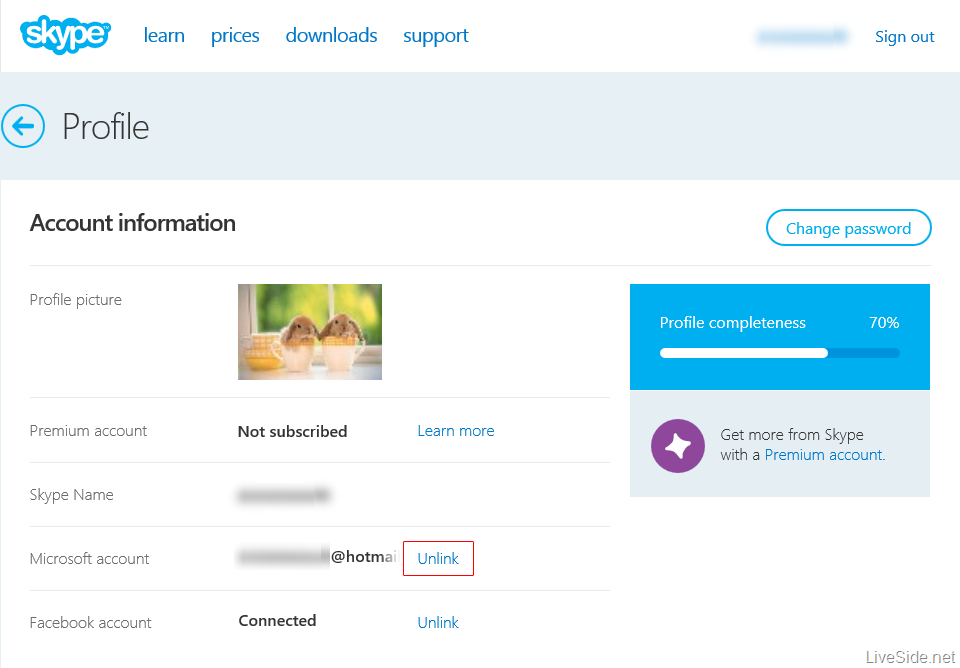
However, before you go off and try this out yourself, there are several restrictions and limitations you should know about. The first is that if you created a new Skype account when you first signed in to Skype with a Microsoft account, when you unlink the accounts you will lose any Skype credits and subscriptions purchased, as well as the possibility of losing Skype contacts added to the account. Note that this restriction does not apply if you owned an existing Skype account before you linked it with your Microsoft account. Below is an excerpt from the Skype support page:
If you created a new Skype account when you first signed in to Skype with your Microsoft or Facebook account and you decide to unlink your Skype and Microsoft or Facebook accounts, you’ll lose all the Skype products you purchased for that account. If you have any Skype Credit or a subscription left, you may want to use it up before unlinking your accounts. We also recommend that you back up all contacts you added to that Skype account.
The second limitation is that there is a limit on how many times a user can request to unlink their accounts. Whilst Skype did not specify the number of requests allowed, or whether this limit resets after a certain period, once you have reached this limit you will have to contact Skype support to unlink your accounts.
Of course, there are still lots of work to do for Microsoft to bring the Skype and Messenger integration up to scratch, including (but not limited to) Skype showing multiple copies of the same contact if you have them on both Skype and Messenger. We are also waiting on Microsoft to turn on the switch to bring Skype voice and video chat within Outlook.com, something that was promised back in July last year.